What it is like to learn and to teach here, on real screens, without signing in. Each step says whether it is live on nidihub.org or still in development.
The film In development: a three-minute film of a studio week will be here once it is recorded on nidihub.org.
As a student
-
Find a course and start
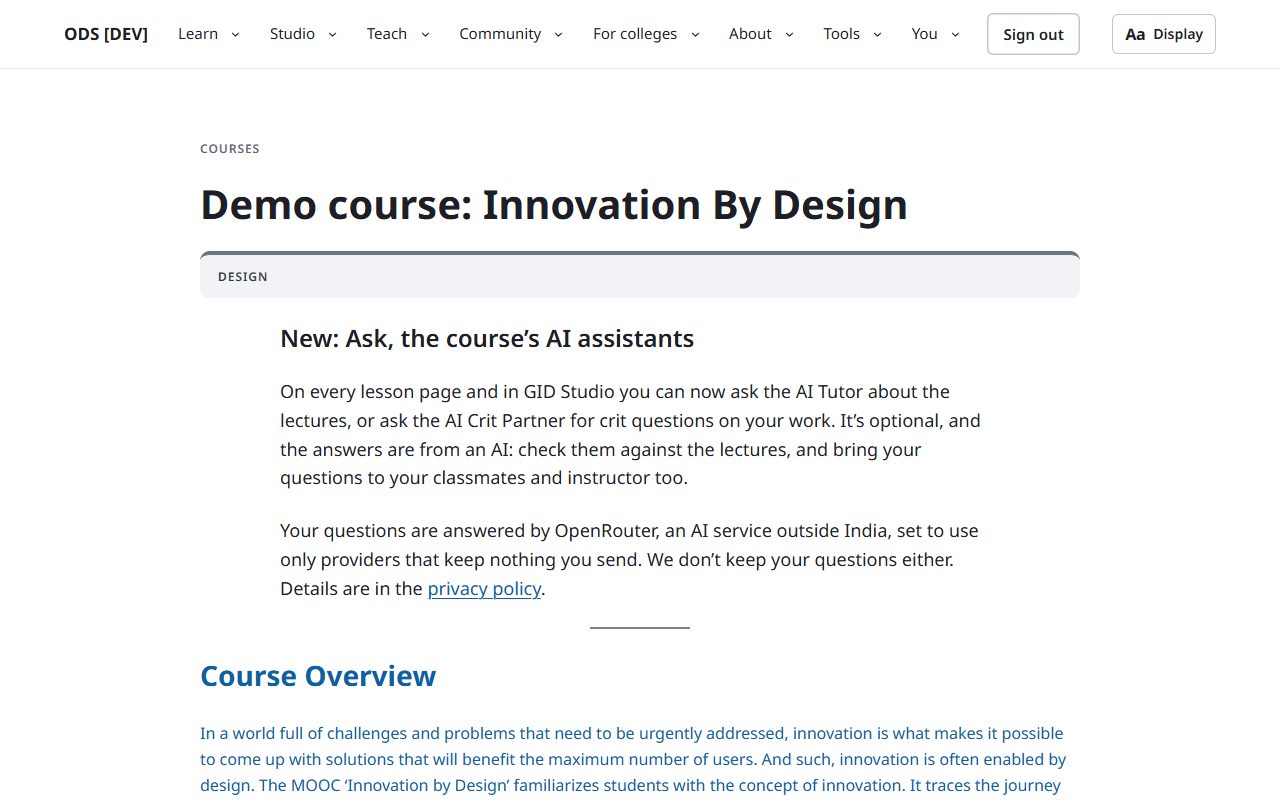
LiveEach course page says what you will learn, who teaches it and how it is run. You join with your institute, or with a class code from your teacher.
Website · a course page
-
Learn from the lecture, ask beside it
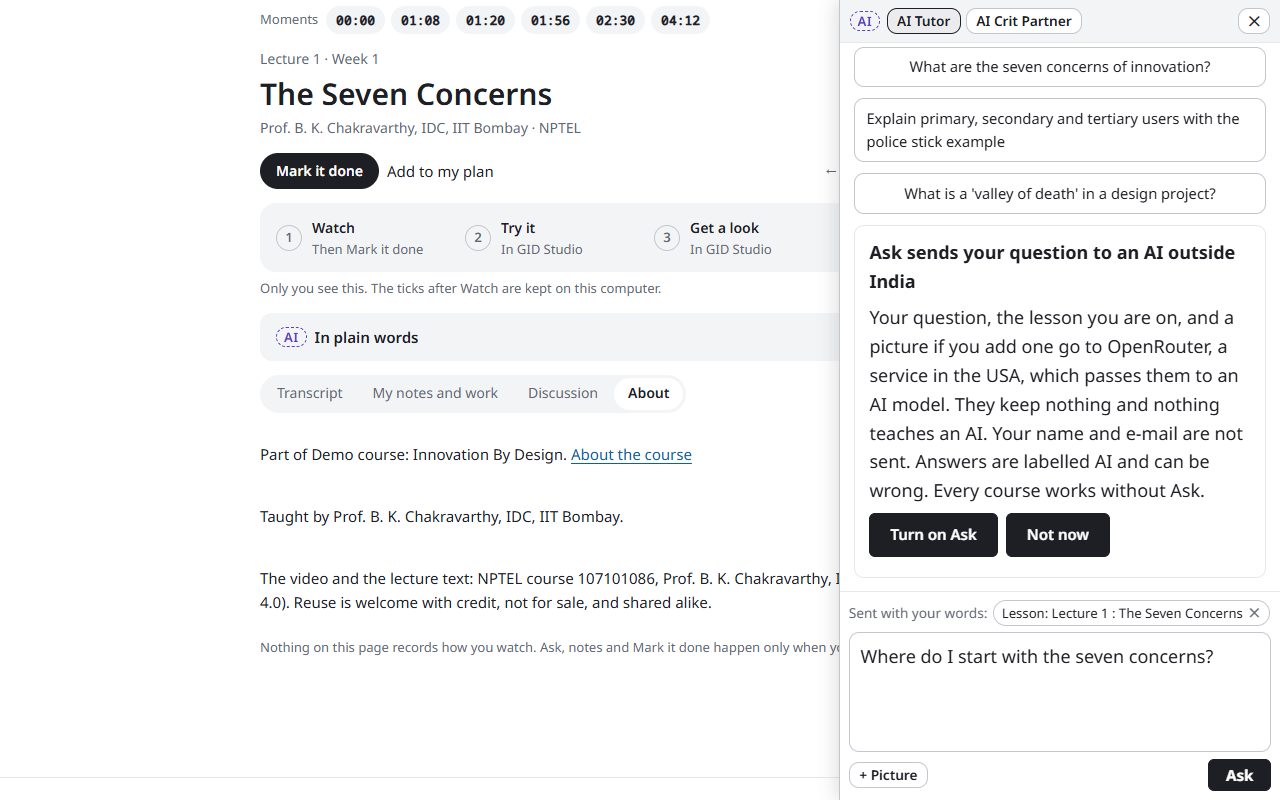
In developmentLectures come with their text, moments to jump to, and Ask: the course's AI assistants, always labelled AI. The first time, Ask asks your consent, because your question goes to an AI service outside India.
Website · a lesson with Ask open
-
Get a brief, hand in your work
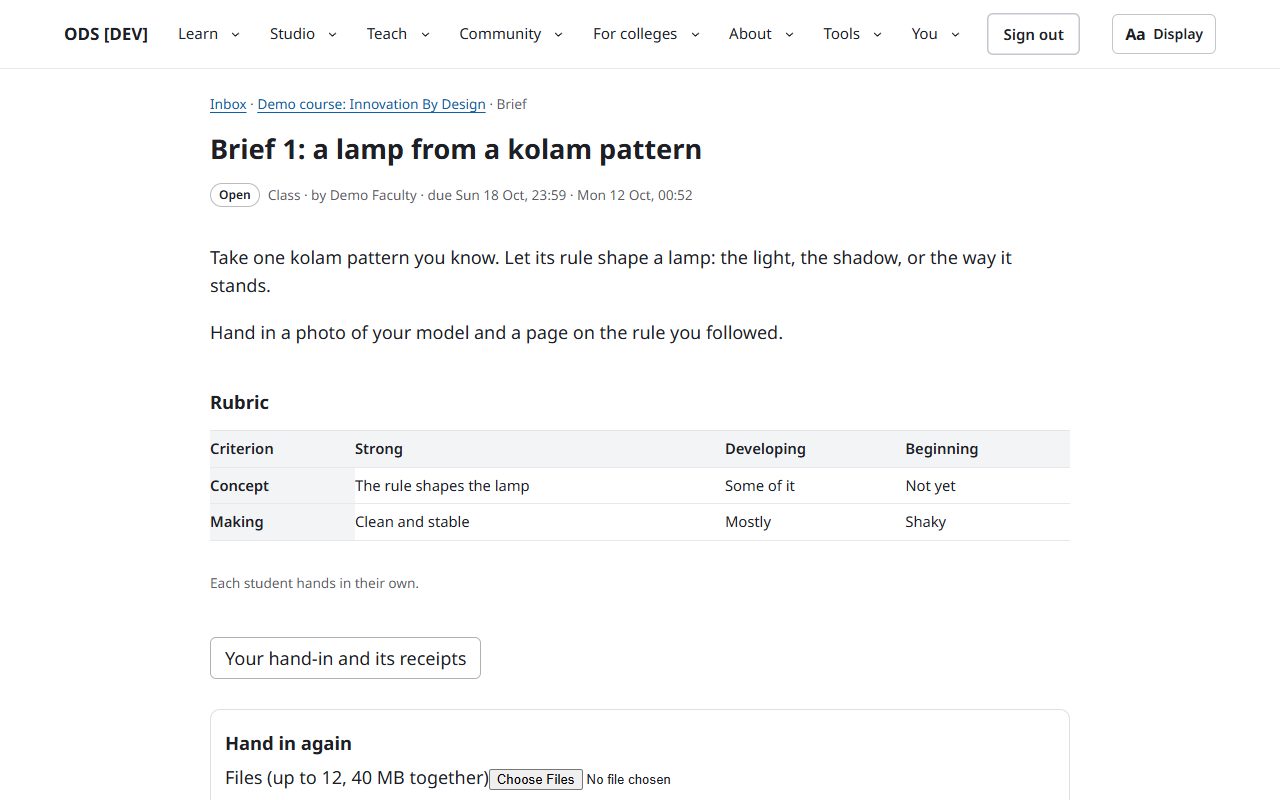
LiveA brief says what to make and how it will be read: strong, developing, beginning. You hand in files and a note, and get a receipt with the time and a fingerprint of each file.
Website · a brief
-
See what needs you
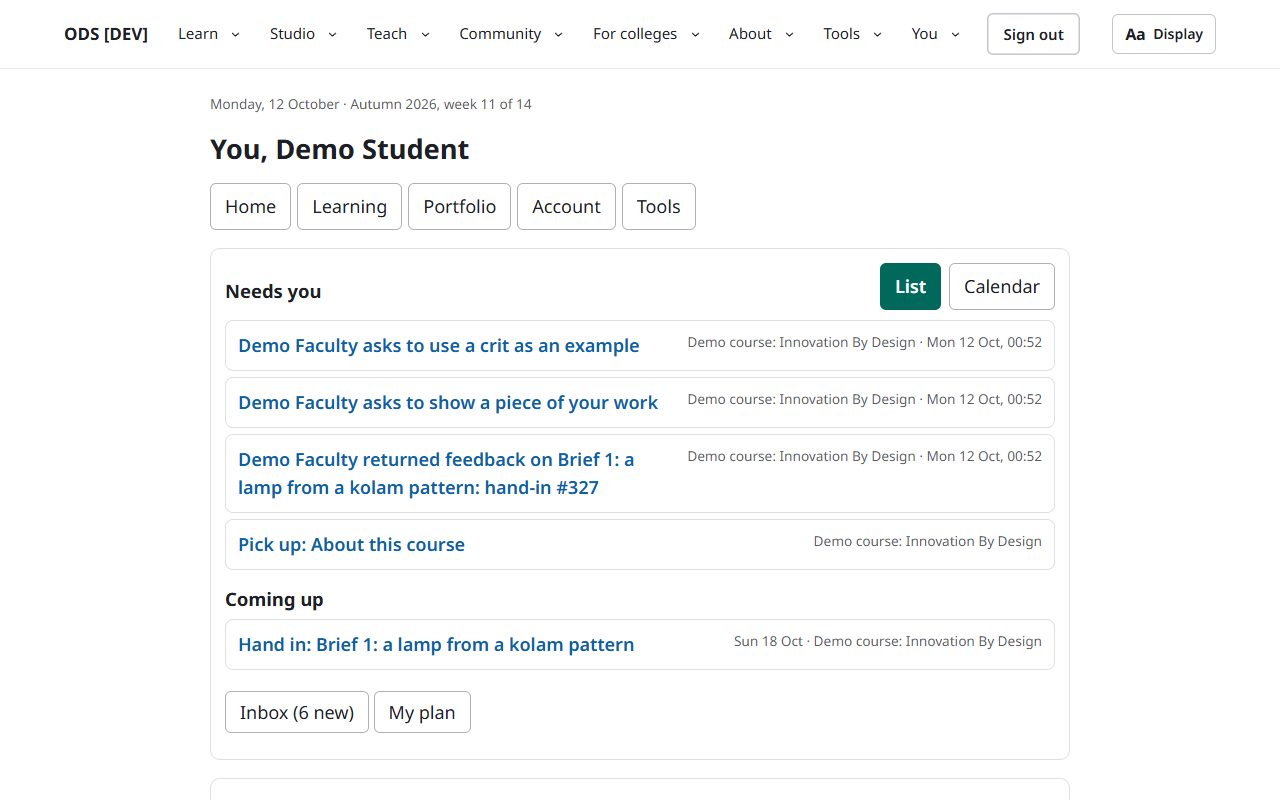
LiveYour page brings together what needs you, what is coming up, your courses and your plan. Nothing measures how you work, and nothing is ever marked late.
Website · You
-
Your data, your say
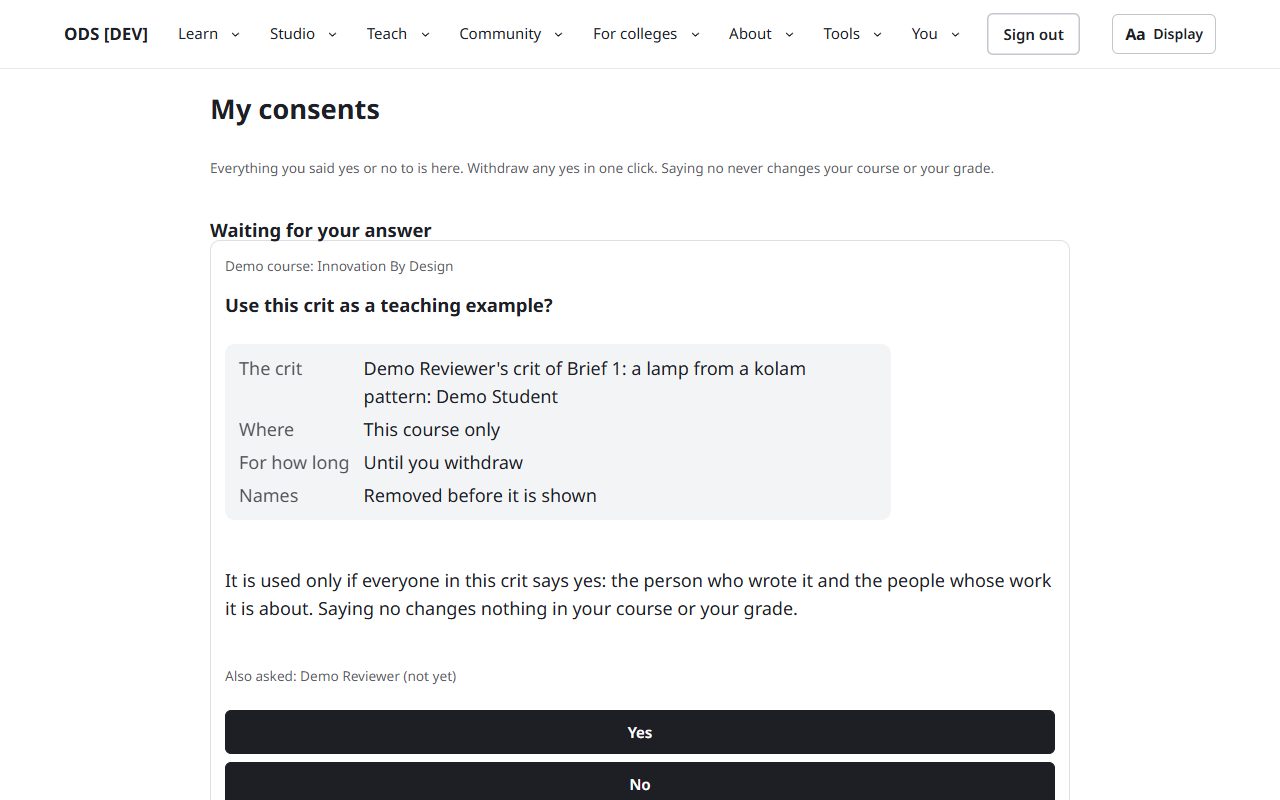
In developmentEverything you said yes or no to, with the exact words you saw. Withdraw any yes in one click; saying no never changes your course or your grade.
Website · My consents
As a teacher
-
Your day at a glance
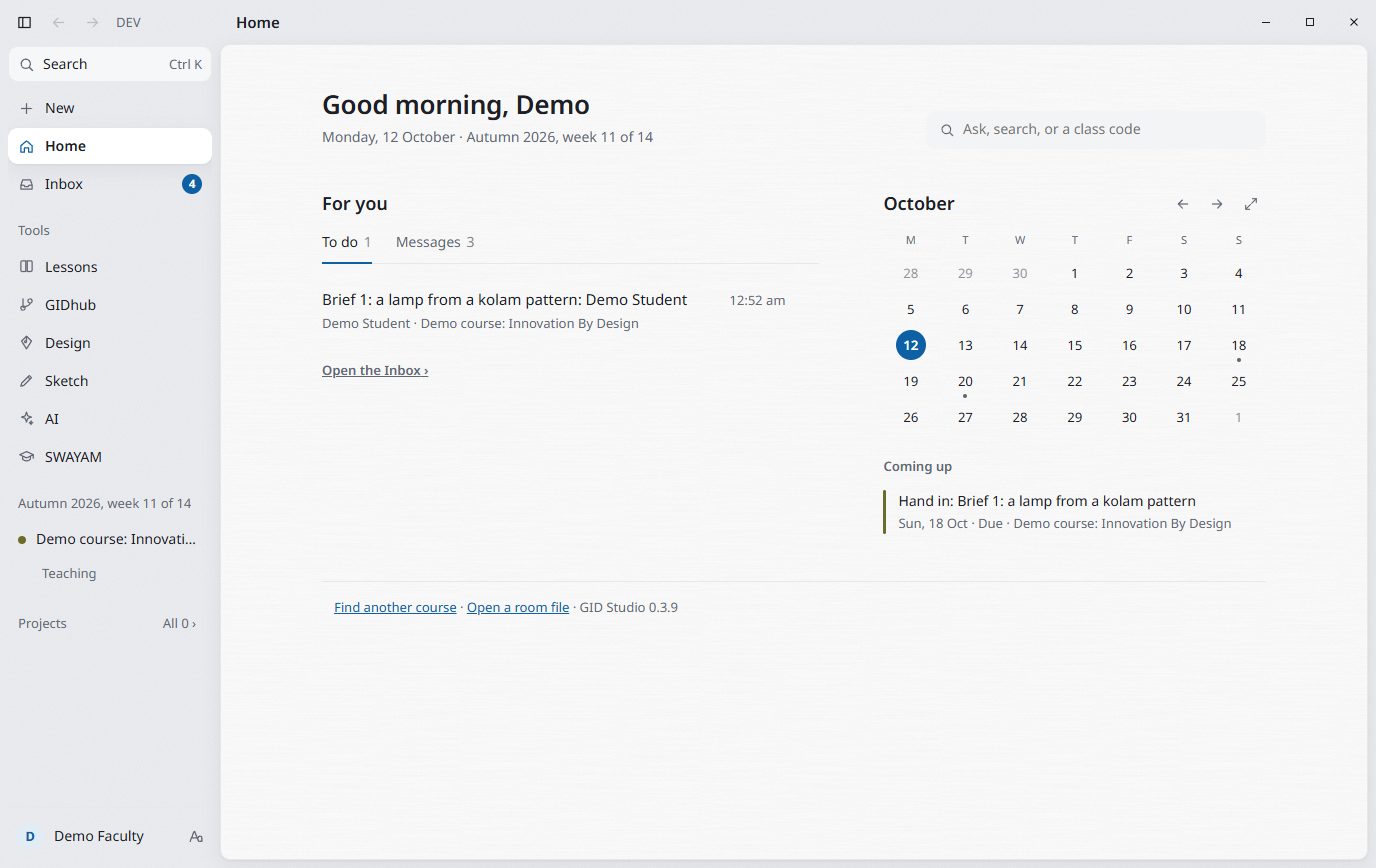
In developmentGID Studio, the studio app, opens on what needs you, the month, and today's class. Drag anything onto a day to plan it.
GID Studio · Home
-
Make a course, with an AI that drafts
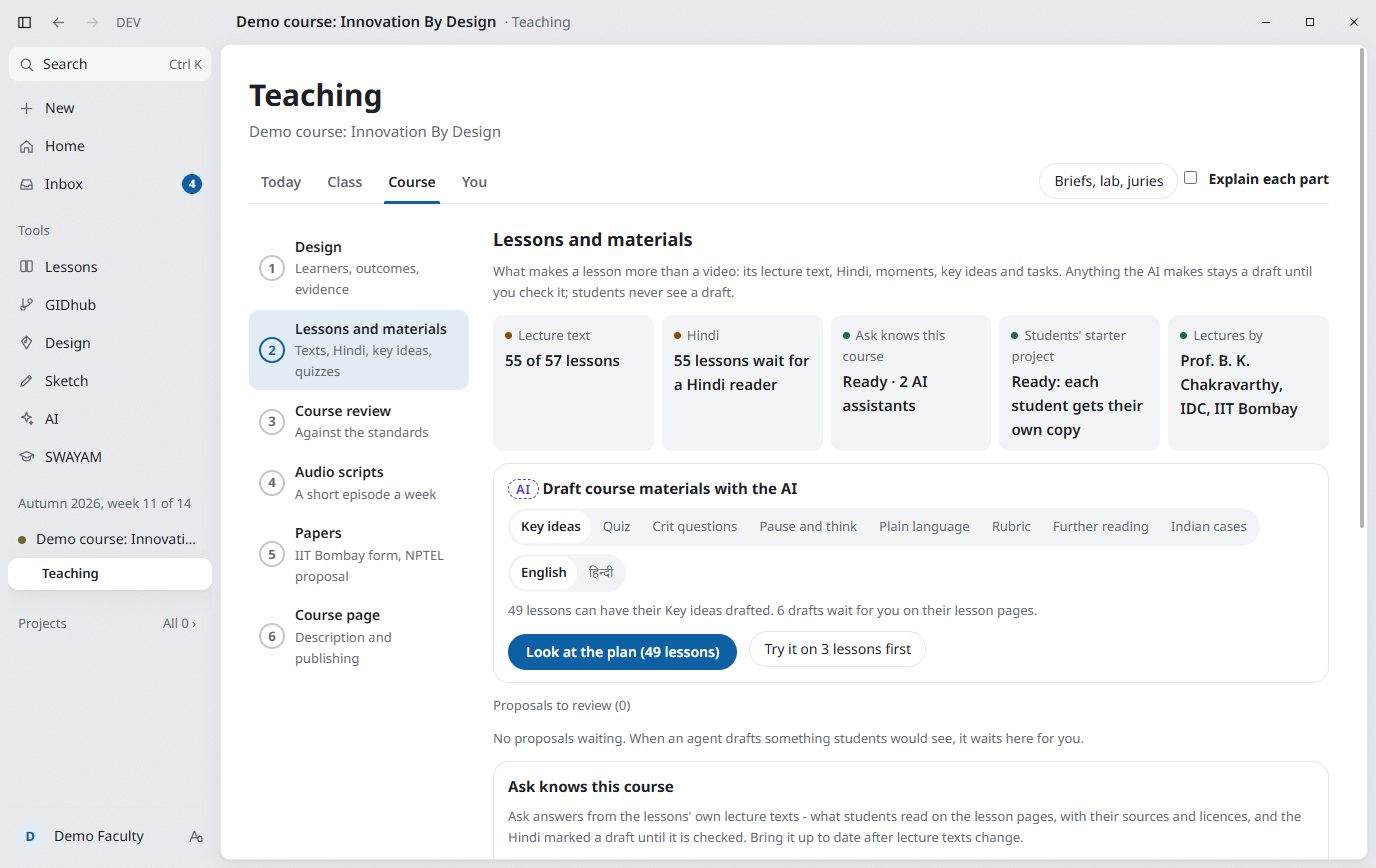
LiveTeaching walks a course from design to publishing. The AI drafts key ideas, quizzes and rubrics, always labelled; nothing reaches students until you have checked it.
GID Studio · Teaching
-
Set a brief, read with names hidden
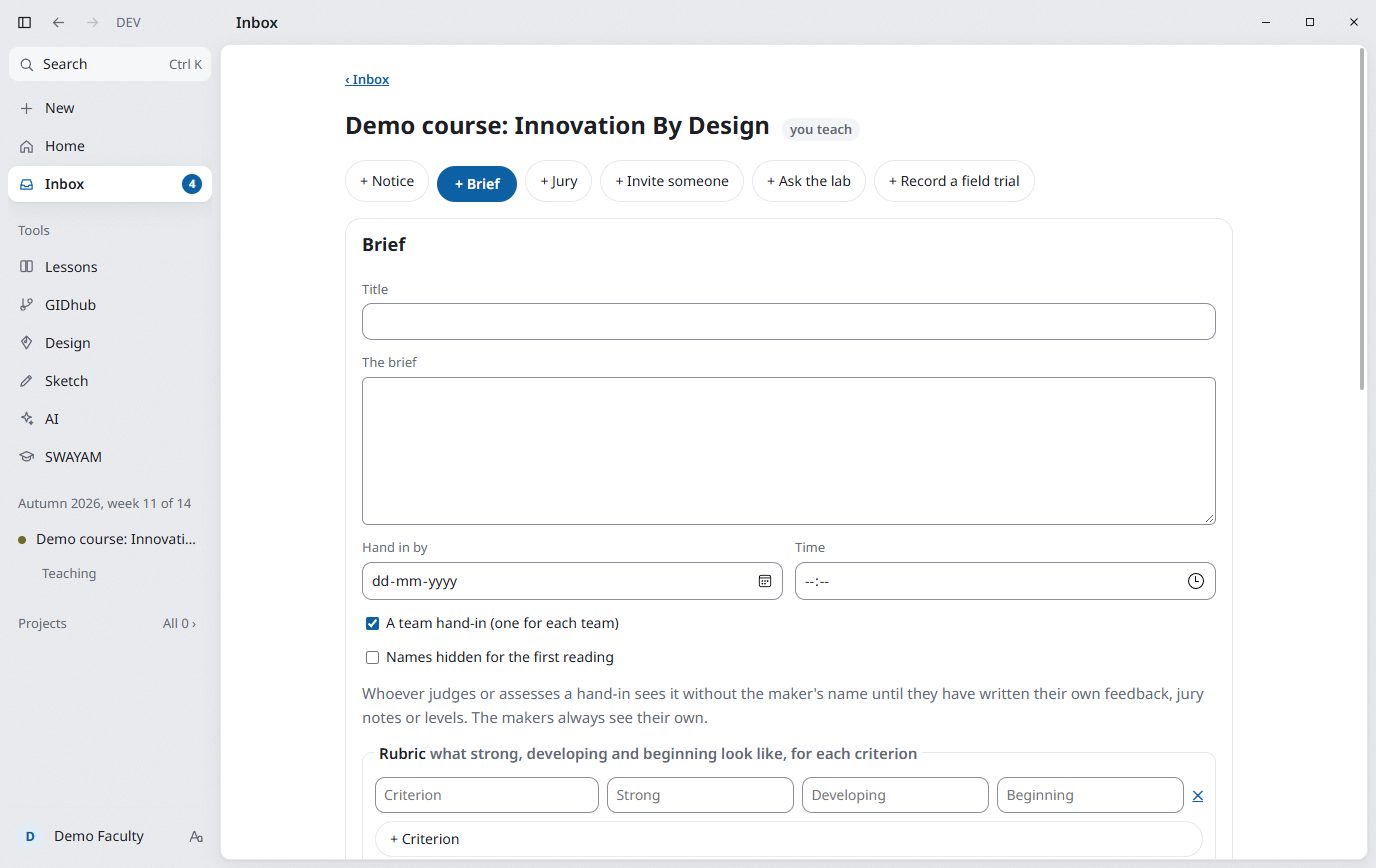
In developmentA brief with a rubric, alone or in teams. Choose "names hidden at first look" and whoever judges meets the work before the name.
GID Studio · a new brief
-
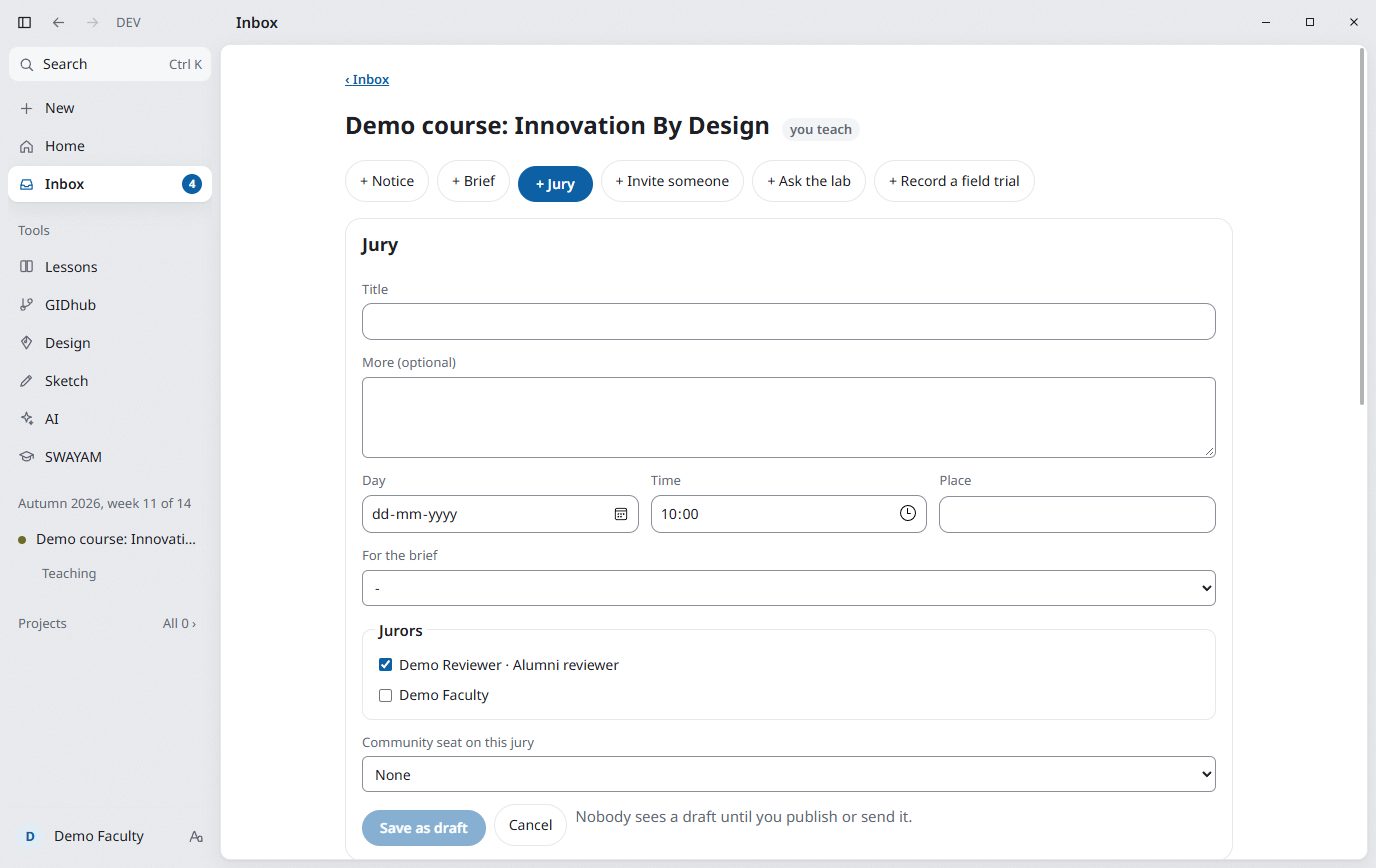
Run a jury, with a community seat
In developmentInvite jurors and alumni reviewers, who accept the reviewer compact first. One seat can go to the community.
GID Studio · a new jury
-
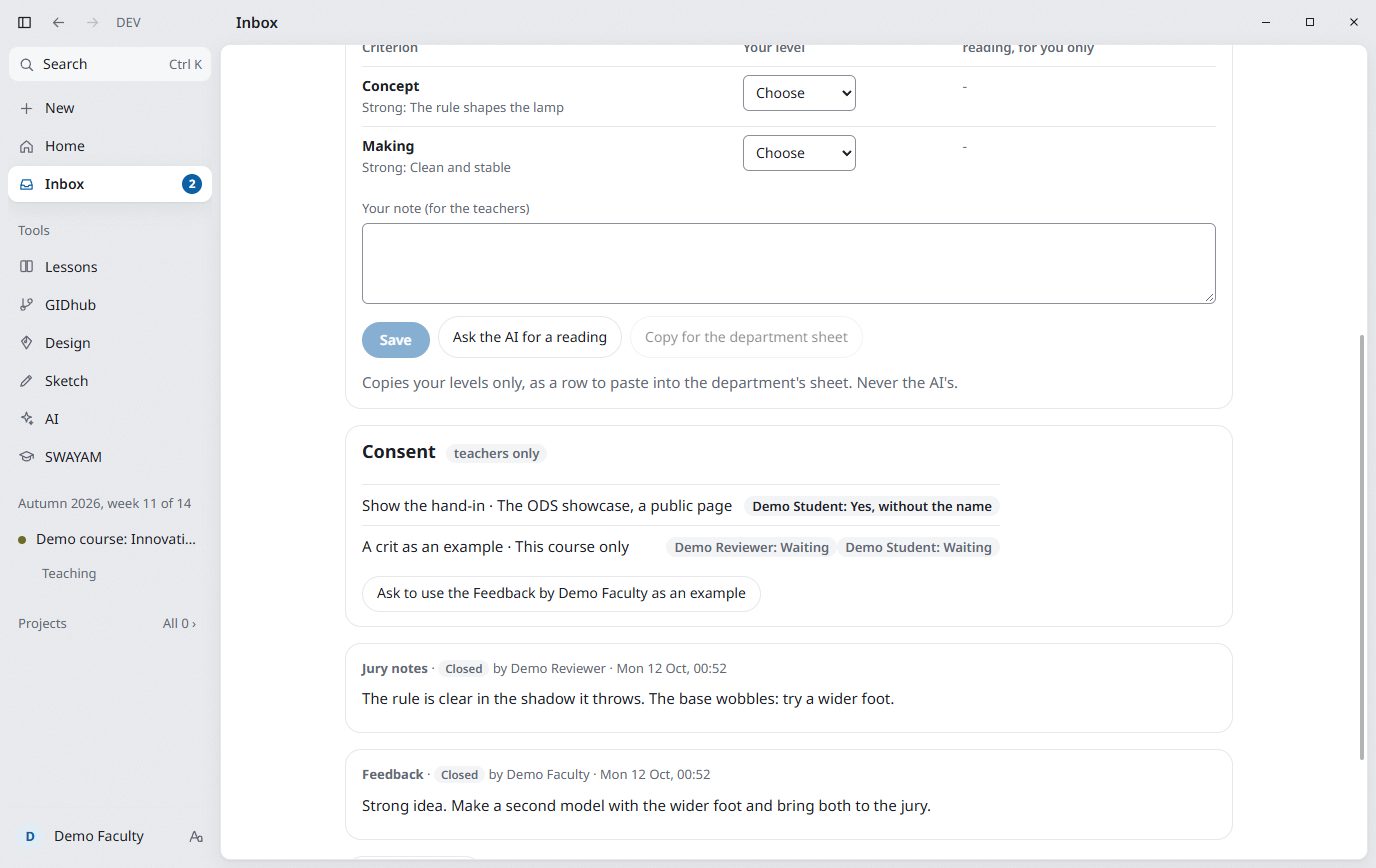
Read the hand-ins; ask before you show
In developmentEach hand-in with its files, receipts, jury notes and your own levels. To show it anywhere, you ask the student; they answer yes, yes without the name, or no.
GID Studio · a hand-in
To learn more: How a studio works, Get GID Studio and Teach with GID Studio.